How can I verify whether the DOP300 FDA21 file has been modified?
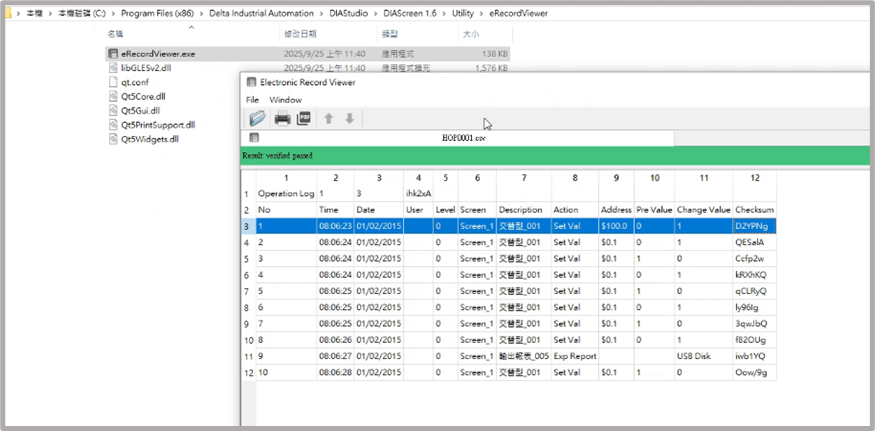
When installing DIAScreen, the system automatically installs the eRecordViewer software. Open eRecordViewer and import the CSV file you want to check. If the checksum verification is successful, a green bar will appear along with the message “Verified passed.”
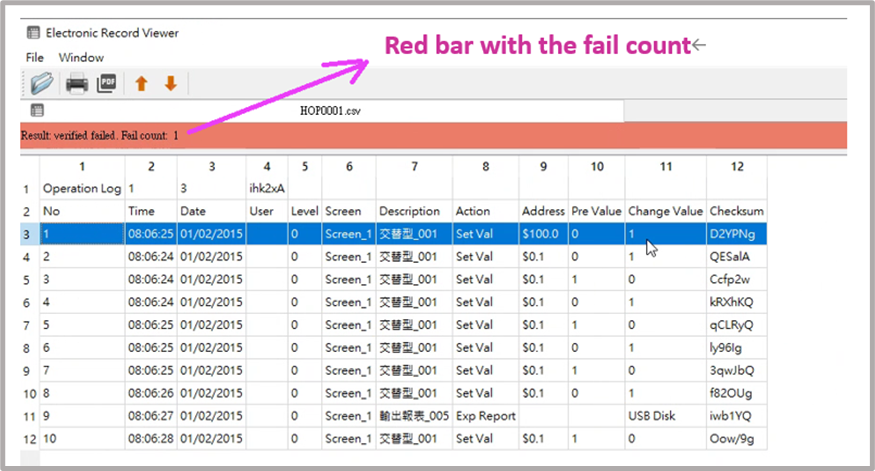
 If the verification fails, a red bar will be displayed and the number of failed items will be listed, as shown in the figure below.